
Your agents, out loud. Nothing to read.
Waycar in CarPlay tells you which coding agents need you. Ask one how it's going, or answer its approval, by voice. The car's screen shows only the list, and who you're talking to.
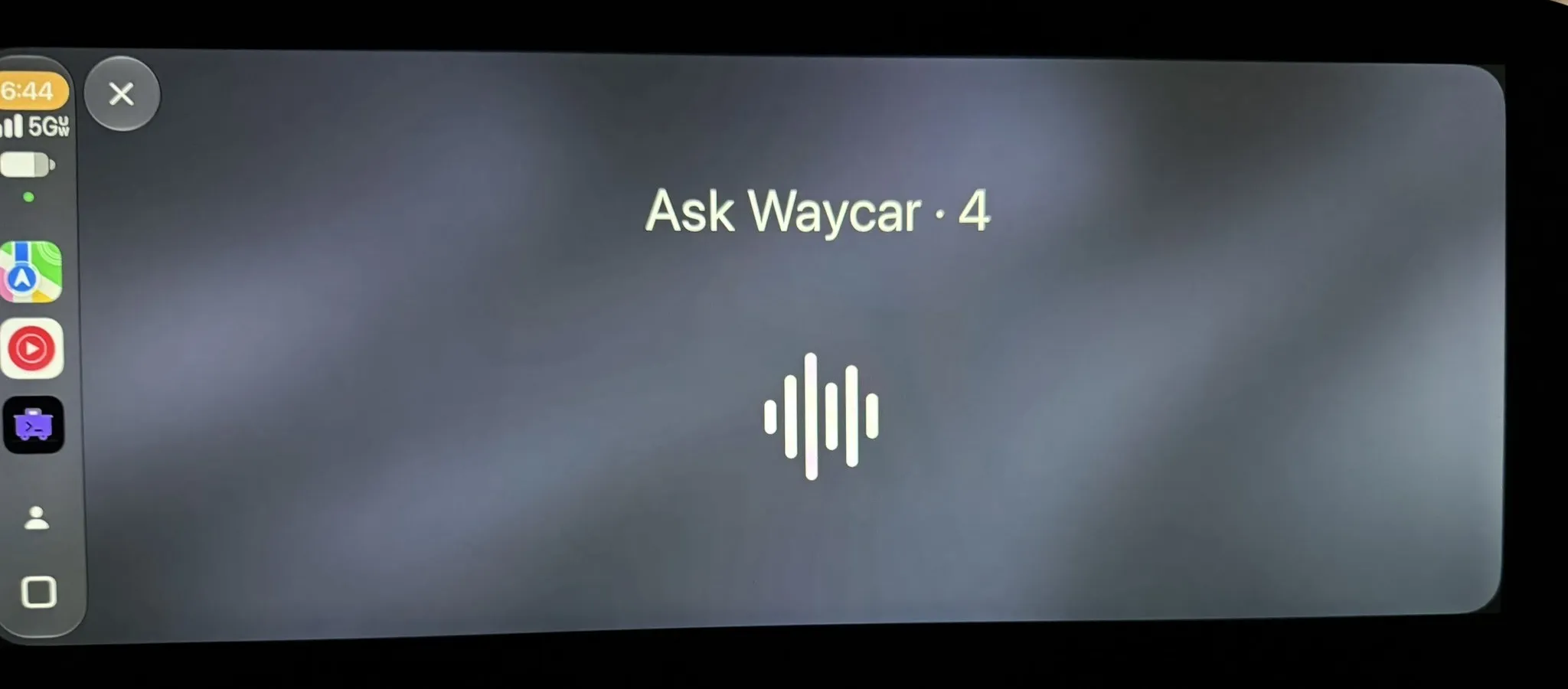
- tapTalk to Waycar

Waycar says
2 Agents need you. api Claude is blocked. web Codex is done.
- tapweb · Codex
Waycar says
web Codex is done: The checkout form uses the new API. What should I ask?
You say
Did the tests pass?
Waycar says
All 42 pass. I left the old endpoint in place until you remove it.
Hear what needs you
Tap Talk to Waycar. When nothing is waiting, it says "Nothing needs you."
Ask, then hear back
Tap an agent and ask. When you pause, Waycar sends it, then speaks the answer in a sentence or two.
Keep the conversation going
It listens for your next question. Say "that's all" when you're done.
Unblock it by voice. Risky ones wait.
Allow or deny out loud
Claude Code and Codex approvals. Waycar reads the command and waits for your answer.
Waycar says
api Claude is waiting on approval to run npm test. Allow or deny?
You say
Allow.
Waycar says
Allowed.
Say what to do instead
More than "deny". Waycar denies the command, then sends your words to the agent.
You say
Run only the unit tests.
Waycar says
Tell api Claude: Run only the unit tests. Send?
You say
Send.
Waycar says
Denied. Sent your correction.
Held until you stop
A force-push, a deploy, sudo, or anything too long to read out is never allowed from the car.
Waycar says
infra Claude wants to run git push --force origin main. This one looks risky: it force-pushes. I'll hold it until you're stopped.
- tapHold
Waycar says
Holding it for later.
A list. That's all.
The agents that need you sit on top, each with its status and how long ago it changed. A ring shows progress when an agent has an estimate. Nothing an agent writes is ever shown. You hear it instead.
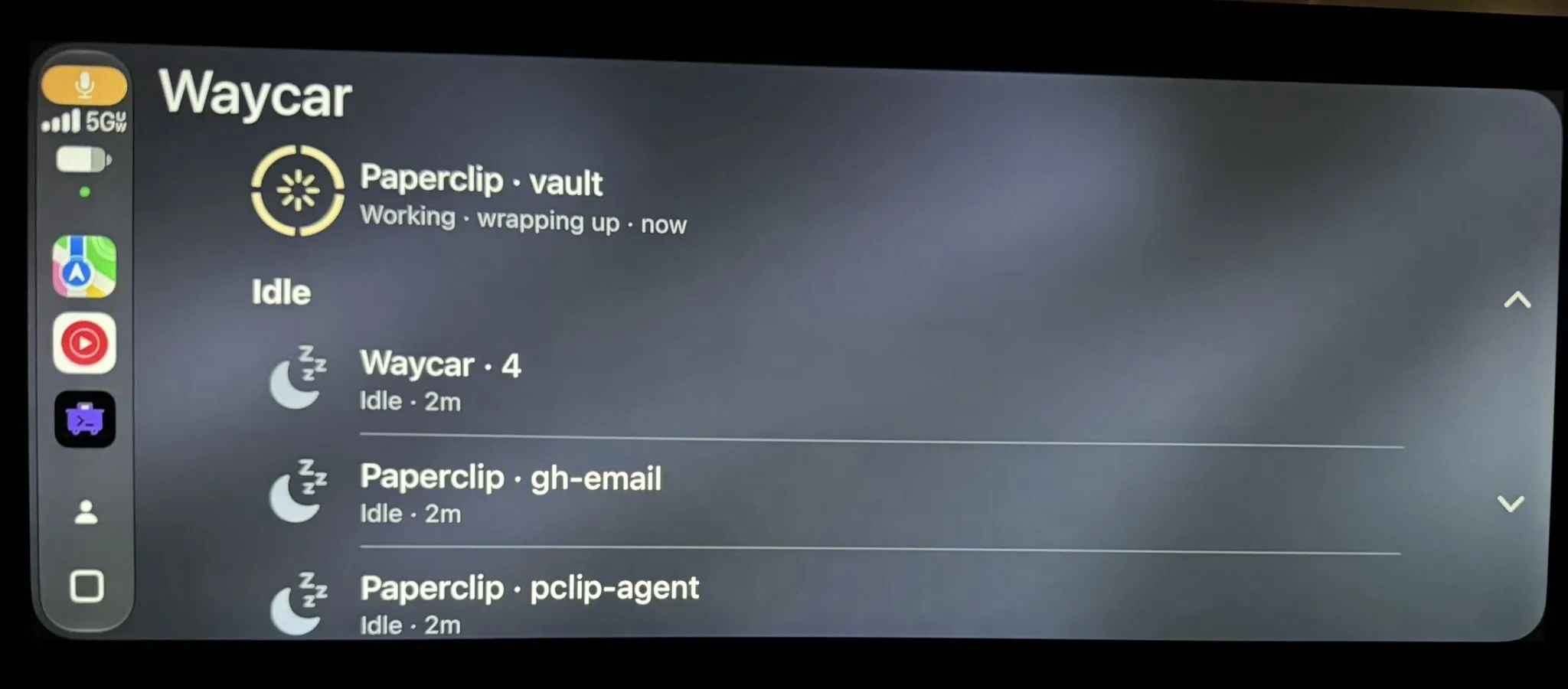
Talk to Waycar
a spoken briefing of what needs you
Need you
Blocked, then Done
api · ClaudeBlocked · 2m
Working
with its progress, when there is an estimate
web · CodexWorking · 3/7 · 6m
Idle
everything else; shells are not listed
infra · OMPIdle · 1h
Phone in your pocket.
Works with your iPhone locked
Leave it in your pocket. Everything happens on the car's screen and out loud.
Your Live Activity, in the car
On the CarPlay Dashboard: the Host's name and lead count, then its top three agents.
Transcribed on your iPhone
Your voice becomes text on the iPhone, and only the text goes to your Host. Shell symbols are spoken as words, like "pipe", so you hear exactly what would run.
Pick the voice and speed
Waycar uses the best voice on your iPhone, or the one you pick, at 0.75× to 1.5×. Or try Natural Voice (Beta), a neural voice that runs on the iPhone.
What you need
- An iPhone on iOS 26.4 or later. iPad never connects to CarPlay.
- A car or head unit with CarPlay.
- Waycar, with a Host already set up at your desk.