BETANative for iPhone & iPad · built for herdr

Your agents stay attached.
Over mosh, and SSH.

Waycar is a native agent console for herdr. Agent terminals ride mosh over UDP, so a session survives the trip from Wi-Fi to cellular and a phone gone to sleep — and when mosh can’t get through, Waycar falls back to plain SSH by itself. See every agent on every machine, answer the blocked ones first.

  • survives network changes
  • survives sleep
  • falls back to SSH on its own
  • no account
Private TestFlight beta Set up a machine

watchesclaudecodexompgeminiopencodepi+ more

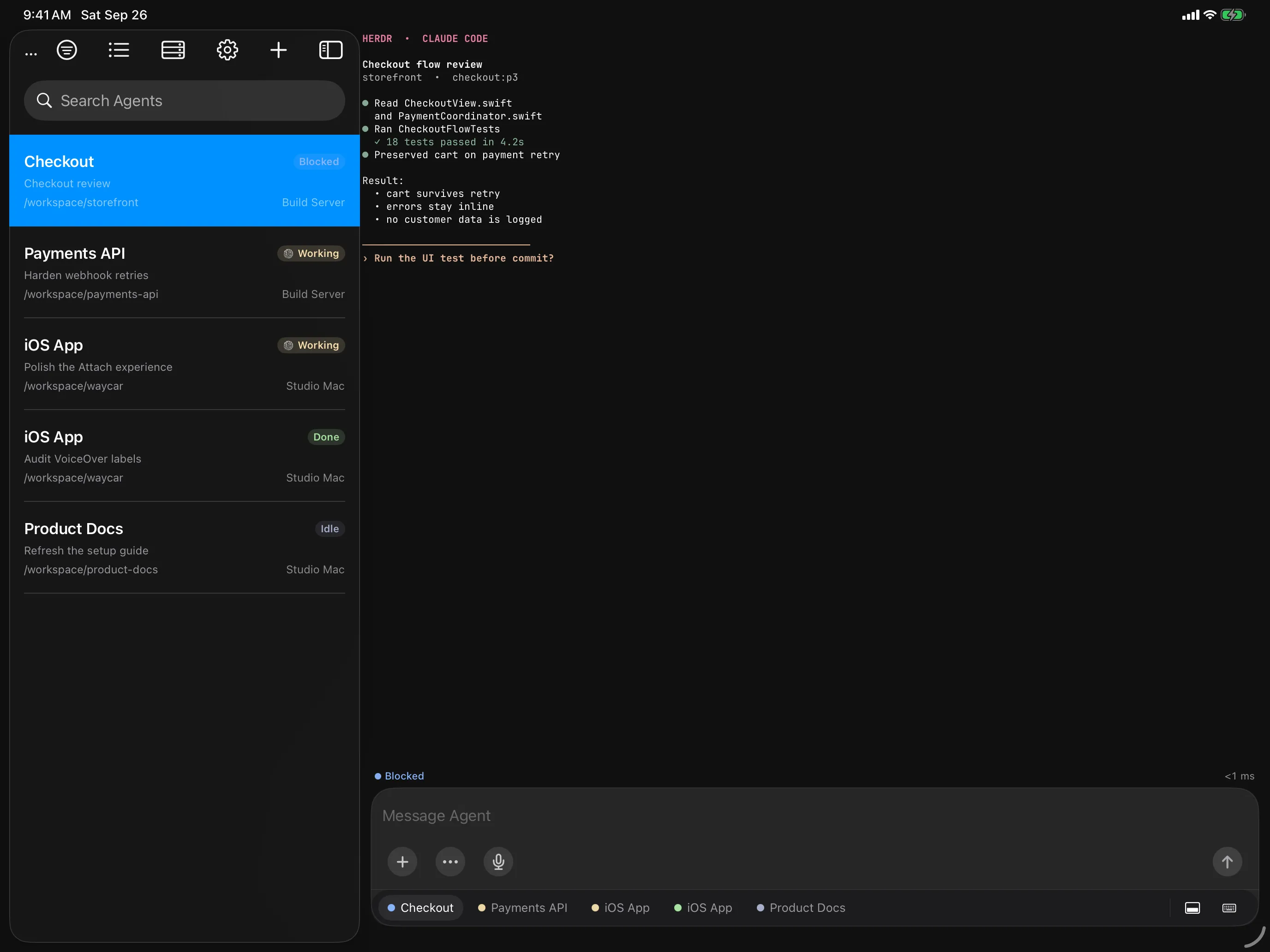
Agent Console sidebar beside the selected agent's live terminal on iPad
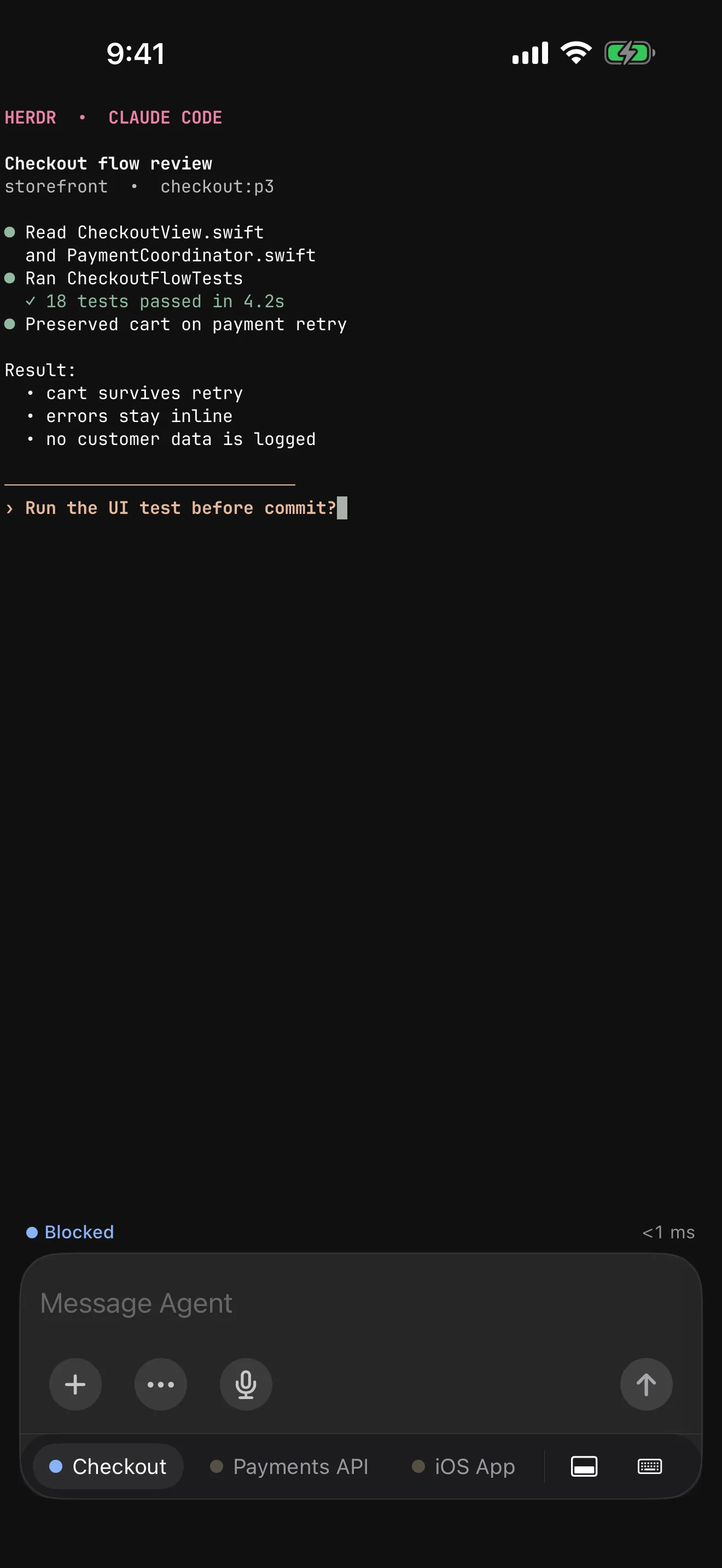
An agent's live terminal on iPhone showing a Claude Code session waiting on a question, with the Composer below
mosh + SSH

Change networks. Lock the phone. The session is still there.

Plain SSH ties a terminal to one TCP connection. Waycar can carry Agent terminals over mosh instead — a UDP session that survives network changes and sleep — while SSH stays underneath as the fallback that always works.

What happens to an attached Agent terminal over plain SSH versus mosh
SituationSSH Plain SSHMOSH Waycar over mosh
Network changeThe TCP connection drops. Waycar reconnects the Host and restores the terminal.The UDP session carries on — walk from Wi-Fi to cellular and the Agent stays attached.
Phone sleepsThe link is gone when you come back; the Host reconnects on its own.The session survives sleep and picks up where it was.
UDP blockedUnaffected — SSH is the floor Waycar always stands on.Waycar notices the Host does not answer over UDP and attaches over SSH instead.

How it’s wired

  1. 01 / ssh

    SSH opens the door

    Your Device Key authenticates and the host key is verified, exactly as for every other Waycar connection.

  2. 02 / bootstrap

    SSH starts mosh-server

    Over that SSH connection Waycar runs mosh-server new on the Host — no extra port forwarding or daemon to configure.

    mosh-server new

  3. 03 / probe

    The UDP path is proven first

    A per-Host probe proves the handshake before anything relies on it. Tap Test Mosh on a Host’s page, or Retest and Upgrade Sessions on a connected Host’s details page.

  4. 04 / attach

    Agents attach over UDP

    Agent terminals then ride mosh. Whenever mosh fails, the Agent falls back to the SSH attach automatically.

You always know which one you’re on

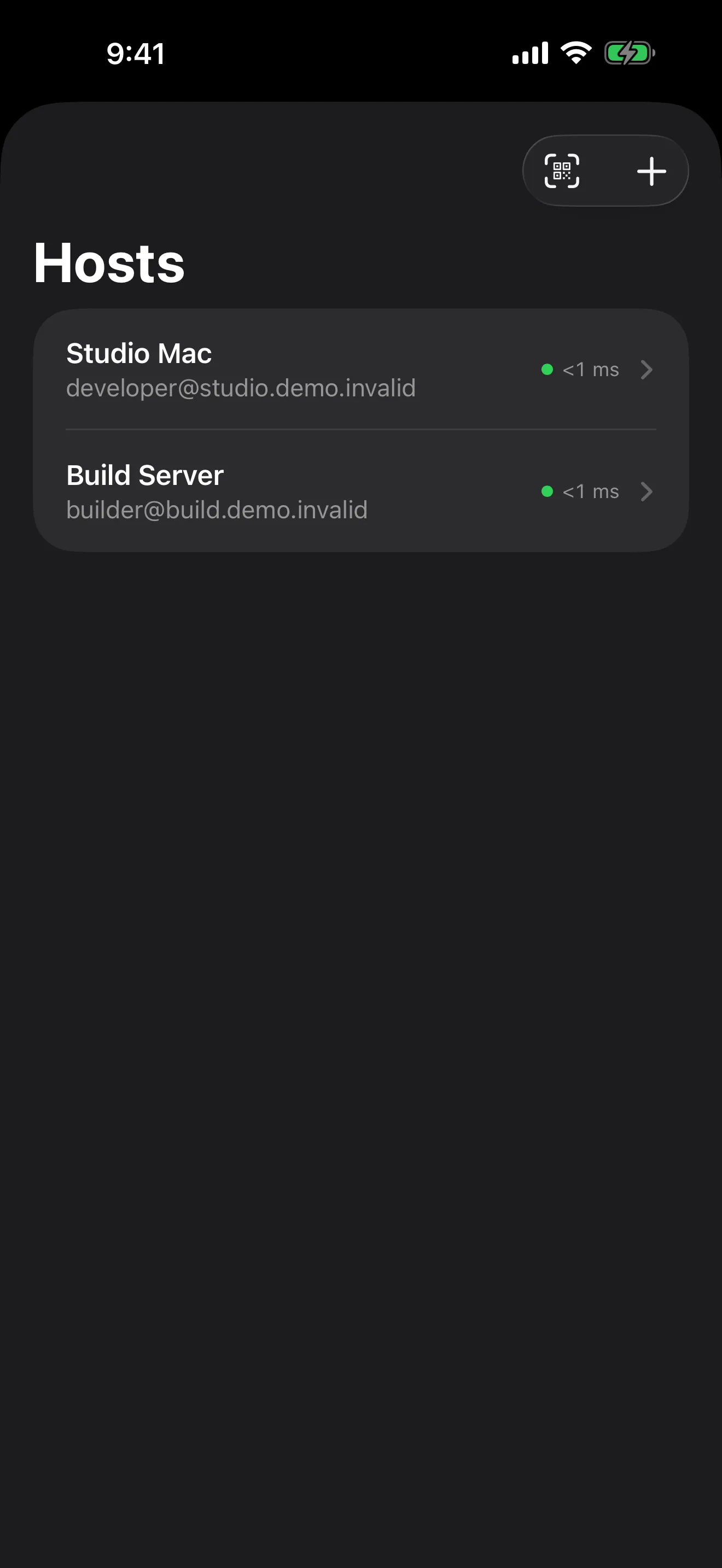
A MOSH or SSH badge sits beside each Host in the Host menu, in Hosts, and on its details page, where Retest and Upgrade Sessions re-tests mosh on the live connection.

Honest about echo

There is no local echo prediction: in Direct Input, typed characters appear once the Host echoes them. The Composer drafts locally and sends the whole message at once, so it feels the same on any link.

What the Host needs

mosh-server installed on the Host and a UDP path to it. Without either, Waycar simply stays on SSH. The client is swift-mosh, an MIT-licensed Swift implementation of the mosh protocol.

How it works

Phone to socket. Nothing in between.

Waycar speaks herdr’s own protocol over a plain SSH connection to your machine. No socat, no custom port, no account — if you can SSH in and herdr is running, Waycar can connect.

Your device

Waycar

  • Ed25519 device key
  • private half stays in Keychain
  • iPhone · iPad · iOS 18+

Waycar connects over SSH, negotiating post-quantum key exchange when offered, and opens direct-streamlocal channels to herdr’s socket. Agent terminals can also ride mosh over UDP. No cloud service, account, or analytics sits in between.

Your machine

sshd + herdr

  • OpenSSH (stock config)
  • herdr ≥ 0.7.5
  • mosh-server, for mosh

unix socket · herdr.sock

claudecodexompgeminiopencodepi

01 / rpc

A fresh channel per request

Each RPC opens its own OpenSSH direct-streamlocal channel onto herdr’s socket;events.subscribe keeps one long-lived channel for live status.

02 / attach

A real terminal, not a re-implementation

Live terminals run herdr agent attach --takeover, rendered by libghostty, so what you see is exactly what the agent draws.

03 / resilience

Survives the subway

Agent terminals ride mosh over UDP through network changes and sleep, falling back to SSH automatically. Jump Hosts reach machines that aren’t directly routable.

Features

Built for the moment an agent
needs you.

Triage from the couch, unblock from the train, pick up a full session on iPad. Every surface is native SwiftUI.

Agent console

Every machine, sorted by who needs you first.

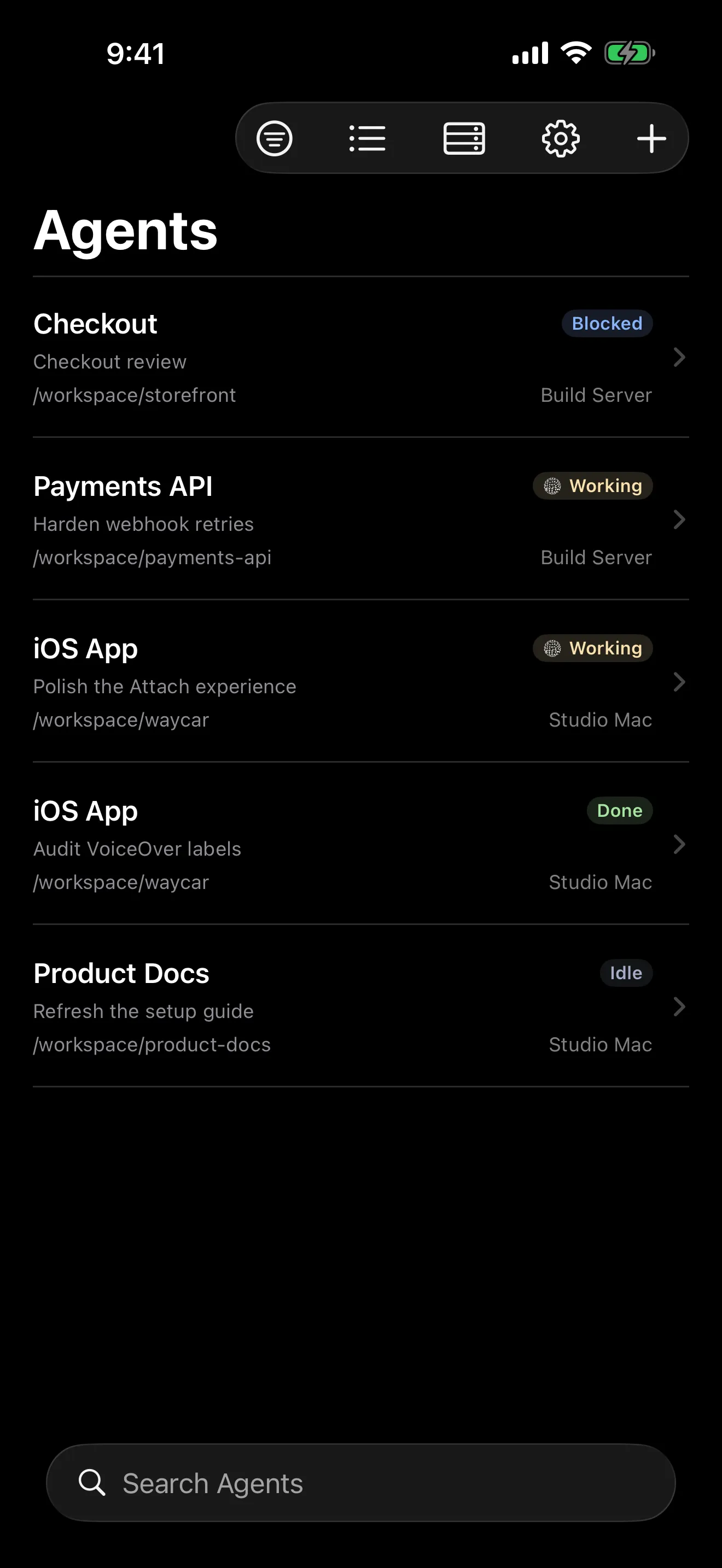
The Console ranks agents from all your Hosts by status, so the blocked one is always on top. Filter by Host or Workspace, search by directory or title, and long-press to pin what matters.

BlockedDoneWorkingIdle

Agent Console on iPhone listing agents across two Hosts with Blocked, Working, Done, and Idle status badges

Terminal

Native libghostty attach.

Metal-rendered, full TUI fidelity. Momentum scrolling drives alt-screen apps, long-press selects, and opening an agent always takes over the terminal.

Prompting

Draft with the whole iOS keyboard. Send once.

The Composer drafts locally with autocorrect and IME, then delivers the full message as oneagent.prompt. Dictation on iOS 26 runs entirely on-device. Snippets and agent Skills insert without submitting.

Workspaces

Start an agent on a clean worktree.

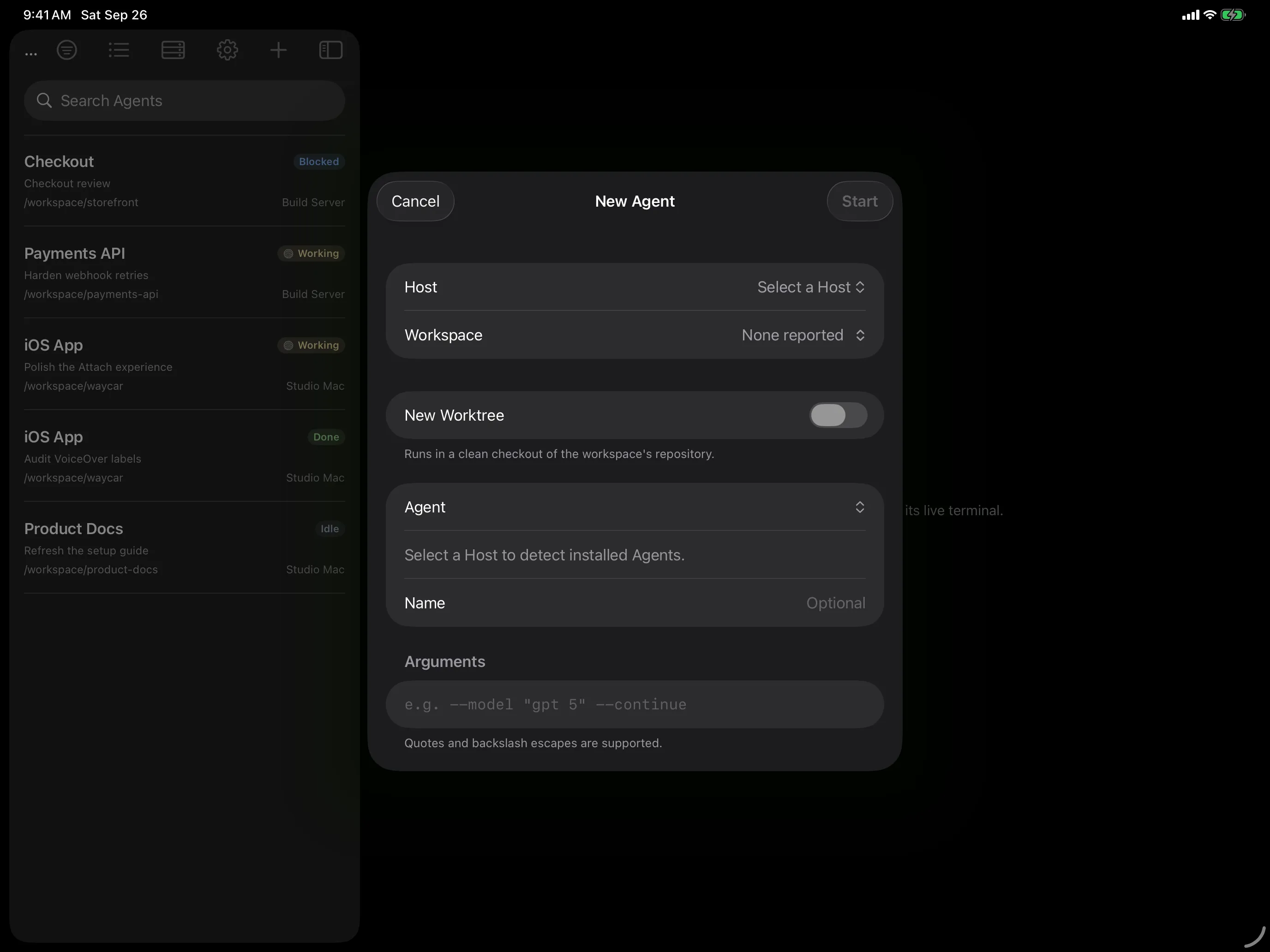
Flip New Worktree and herdr creates a fresh git checkout as its own Workspace, branchingworktree/<name> off HEAD. Or start a new Workspace in any directory you browse on the Host.

Connect

Pair a machine with one QR.

Keys generate on device, and the Pairing Code pins the host key fingerprint — no blind trust-on-first-use prompt.

iPad

A first-class iPad app, keyboard and all.

The Console becomes a sidebar beside the live terminal. Stage Manager windows run different Hosts side by side, drag and drop lands in the Composer, and hardware shortcuts keep your hands on the keys.See the iPad gallery →

⌘1–9agents⌘[ ⌘]switch⌘Fsearch⌘Nnew agent⌘Einput mode⌘↩send

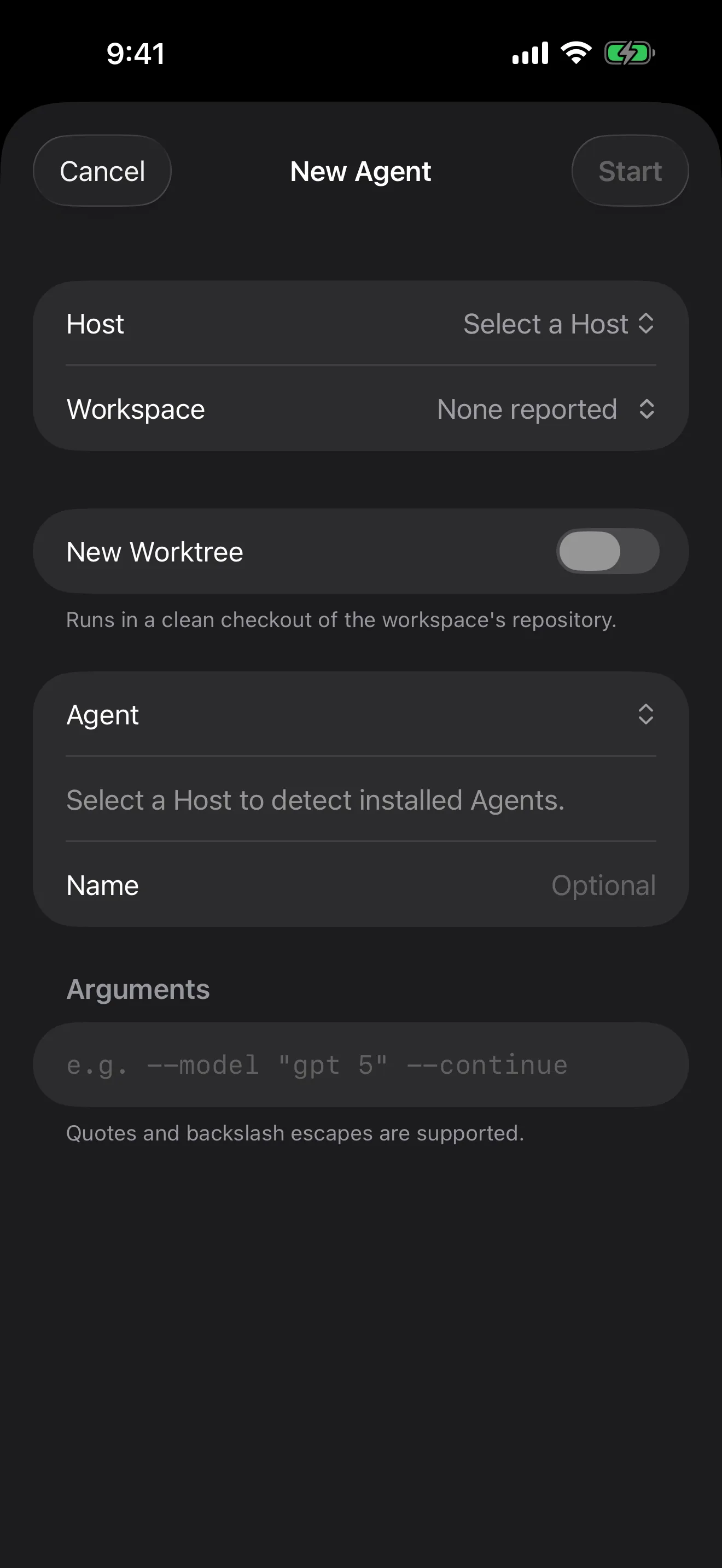
New Agent sheet on iPad over the Agent Console, with Host, Workspace, New Worktree, Agent, and Arguments fields

Notifications

Know the moment an agent blocks.

The herdr plugin encrypts a push on your Host when an agent goes Blocked or Done; the relay forwards ciphertext plus delivery metadata and never sees notification content. Live Activities track each Host on the Lock Screen and in the Dynamic Island; their agent status counts pass through the relay unencrypted so iOS can update them.

Attachments

Hand the agent a screenshot.

Stage a photo or file onto the Host over SFTP and its path drops into your draft — never auto-sent.

limit
64 MiB
transport
sftp
inserts
path → draft

Controls

Every key an agent can ask for.

The Tools keyboard sends Esc, Tab, Shift-Tab, arrows, Ctrl, Alt and F-keys straight to the pane without touching your draft. Or switch on Direct Input and type into the live terminal.

Appearance

30 terminal themes, light and dark slots.

Bundled JetBrains Mono and IBM Plex Mono, pinch-to-zoom text, and a status bar that follows your theme’s luminance. Preferences follow you to your other devices through end-to-end encrypted iCloud Keychain.

Agents

Bring the agents you already run.

Waycar detects the agent CLIs installed on each Host — on PATH or through mise, Bun, Cargo, or Homebrew — and starts them from the New Agent sheet. Plain shells sit in the Console too.

  • claude
  • codex
  • omp
  • gemini
  • opencode
  • pi
  • Amp
  • Cline
  • Cursor Agent
  • Devin CLI
  • Droid
  • GitHub Copilot CLI
  • Kilo Code
  • Kimi CLI
  • Kiro CLI
  • Qoder CLI
  • Qwen Code
Security & privacy

Your keys. Your machines. Nobody else’s servers.

No accounts, no ads, no analytics, no tracking. Your SSH credentials and terminal data never touch our infrastructure. Notifications are encrypted on your Host; the stateless relay sees ciphertext and delivery metadata (push token, source IP, timing) plus, for Live Activities, agent status counts — never the notification content.Read the privacy policy →

  • On-device keys

    Ed25519 — or a 3072-bit RSA key for Hosts that require it — generated on device; the private key never leaves the Keychain.

  • Pinned fingerprints

    The Pairing Code carries the host key fingerprint, so the first connection is already verified.

  • Verified at both hops

    Jump Host keys and target keys are verified independently.

  • Post-quantum KEX

    Negotiates mlkem768x25519-sha256 when your server offers it.

  • On-device dictation

    Speech is transcribed locally and never sent — not even to the Host — until you tap Send.

  • E2E-encrypted sync

    Hosts and keys sync via end-to-end encrypted iCloud Keychain, with a per-device opt-out.

Setup

Two commands on the Host. One scan on the phone.

  1. Install the herdr plugin

    On each machine running herdr, install the pairing plugin.

  2. Show a Pairing Code

    The plugin renders a QR in your terminal — or press c to copy it.

  3. Scan it in Waycar

    Keys generate on your phone, the host key is pinned, and your agents appear. Installmosh-server on the Host and Waycar can carry Agent terminals over mosh.

  • iOS / iPadOS 18+
  • herdr ≥ 0.7.5
  • Node ≥ 20 on the Host
  • OpenSSH · streamlocal on
  • macOS: Remote Login on
  • mosh-server + UDP, for mosh
you@studio-mac — zsh
Commands to install the herdr pairing plugin and show a Pairing Code
# prerequisites: Node ≥ 20, herdr ≥ 0.7.5, OpenSSH running
herdr plugin install ZingerLittleBee/Heeler/plugin --ref main --yes

herdr plugin action invoke heeler.pair
# a QR appears — scan it in Waycar, or press c to copy
FAQ

Before you ask.

How do I get Waycar?
Waycar is in a private TestFlight beta. It is not on the App Store yet, and there is no public invite link.
Does anything go through the cloud?
Not your sessions. Requests, the event stream, and live terminals travel over your SSH connection straight to the Host. The only exception is optional notifications: an encrypted envelope goes through a stateless push relay to Apple, and the relay sees ciphertext and delivery metadata, never the content; for Live Activities it also sees aggregate agent status counts. There are no accounts and no analytics.
What do I need for mosh?
mosh-server installed on the Host and a UDP path to it. Waycar starts mosh-server over your SSH connection, so there is nothing else to configure. Test Mosh on a Host's page proves the handshake; if the Host does not answer over UDP, or mosh fails for any other reason, Agents attach over SSH instead.
My machine is not reachable from the internet. Can I still use it?
Yes. Put an SSH Jump Host in front of it — for example a small server that reaches your machine through a loopback-only reverse tunnel. Waycar authenticates and verifies host keys at both hops.
What happens to the terminal I already have open at my desk?
Opening an agent in Waycar uses herdr's takeover mode, so it wins the terminal and the previous client is disconnected. On iPad, windows on the same Host hand the terminal back and forth with Take Over Here.
Will a herdr update break it?
Waycar needs herdr 0.7.5 or later and checks the Host's API protocol against a minimum rather than an exact version, so newer herdr releases keep working.
Do my Hosts follow me to my iPad?
Yes, through end-to-end encrypted iCloud Keychain, as long as both devices use the same Apple Account with two-factor authentication and iCloud Keychain turned on. Sync can take a minute. Notification registrations, Live Activity choices, and terminal zoom stay per device.
Where does my voice go when I dictate?
Nowhere. Dictation (iOS 26 or later) uses Apple's on-device speech model; audio is never recorded or sent, and the text only reaches your Host when you tap Send.
How do notifications reach my phone?
Your Host encrypts each notification and posts it to Waycar's stateless push relay, which forwards it to Apple. The relay never sees notification content. Everything else in Waycar talks to your Host directly over SSH and doesn't depend on it.
Is Waycar affiliated with herdr?
No. Waycar is an independent project and is not affiliated with the herdr project.

Ride at the back.
See the whole train.

A waycar is the caboose — the car at the end that keeps watch over everything ahead. Waycar is in a private TestFlight beta for iPhone and iPad; it is not on the App Store yet.

Private TestFlight betaWhat’s herdr? ↗